Tutorial
Battery Bank Kit — Build Tutorial
[PLACEHOLDER: video tutorial URL — Battery Bank Kit]
[PLACEHOLDER: PDF instructions file — Battery Bank Kit]
Before you start: read the safety guide — this build involves a lithium cell and a hot soldering iron. If you’re building with a kid, this is the page to read together first.
[PLACEHOLDER: full step-by-step build instructions]
The tools/parts checklist above and the estimated build time are ready to go, but the numbered build steps themselves are intentionally left as a scaffold — writing real wiring/soldering steps for a lithium-battery circuit needs to come from a verified, tested build (not guessed), so nothing invented is published here.
Suggested structure for each step once the real instructions are written:
- Step title — one clear action per step.
[PLACEHOLDER: step 1 photo or diagram] - Step title — one clear action per step.
[PLACEHOLDER: step 2 photo or diagram] - Step title — one clear action per step.
[PLACEHOLDER: step 3 photo or diagram]
Continue numbering through final assembly and a “test it” step before closing the case.
This file lives at src/content/tutorials/battery-bank.md — edit it directly, no
code changes needed.
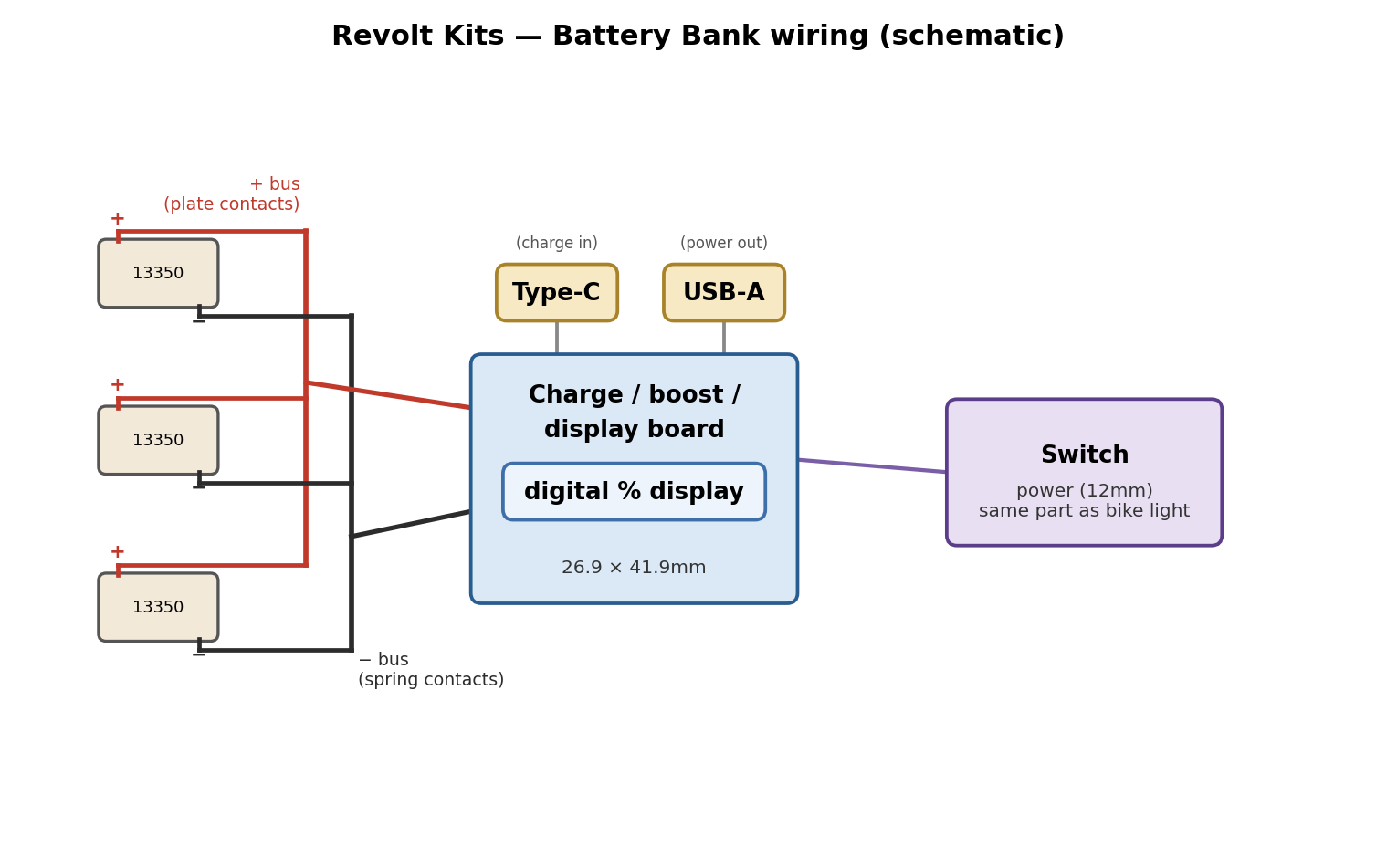
Wiring diagram
Files
STL files, the OpenSCAD source, and the wiring diagram above are all on the Downloads page. A full written + PDF walkthrough is still in progress.